Ft_transcendence: Monolithic to Microservices Migration
Complete documentation of our architectural transformation journey from a monolithic application to a distributed microservices architecture deployed on Azure Cloud.
Project Summary
This documentation covers the complete migration of Ft_transcendence, a competitive gaming platform, from a monolithic architecture to a modern microservices setup utilizing Azure cloud infrastructure, GitHub Actions for CI/CD, and comprehensive security measures including Cloudflare WAF.
Architecture
Transformed from monolithic to microservices with API Gateway, Frontend, and Backend services.
Deployment
Automated CI/CD pipeline using GitHub Actions with self-hosted runners on Azure VMs.
Security
Comprehensive security with Cloudflare WAF, SSL/TLS encryption, and geo-blocking.
Architecture Transformation
Complete Architectural Overview
Architectural display video walkthrough explaining the complete microservices transformation process and deployment strategy.
From Monolithic to Microservices
The Transcendence application was successfully migrated from a traditional monolithic architecture to a modern microservices setup, enabling better scalability, maintainability, and deployment flexibility.
Before: Monolithic Architecture
- • Single deployable unit containing all functionality
- • Tight coupling between components
- • Difficult to scale individual components
- • Single point of failure
After: Microservices Architecture
- Separate services: Frontend, API Gateway, Backend
- Loose coupling with clear service boundaries
- Independent scaling and deployment
- Fault isolation and resilience
Service Communication Flow
The microservices architecture implements a clear communication pattern ensuring security and proper separation of concerns:
Frontend → API Gateway → Backend Service → PostgreSQL Database
Frontend Service
React-based user interface that only communicates with the API Gateway
API Gateway
Central entry point that routes requests to appropriate backend services
Backend Service
Core business logic that only accepts requests from API Gateway
Azure Cloud Infrastructure
Azure Cloud Resources
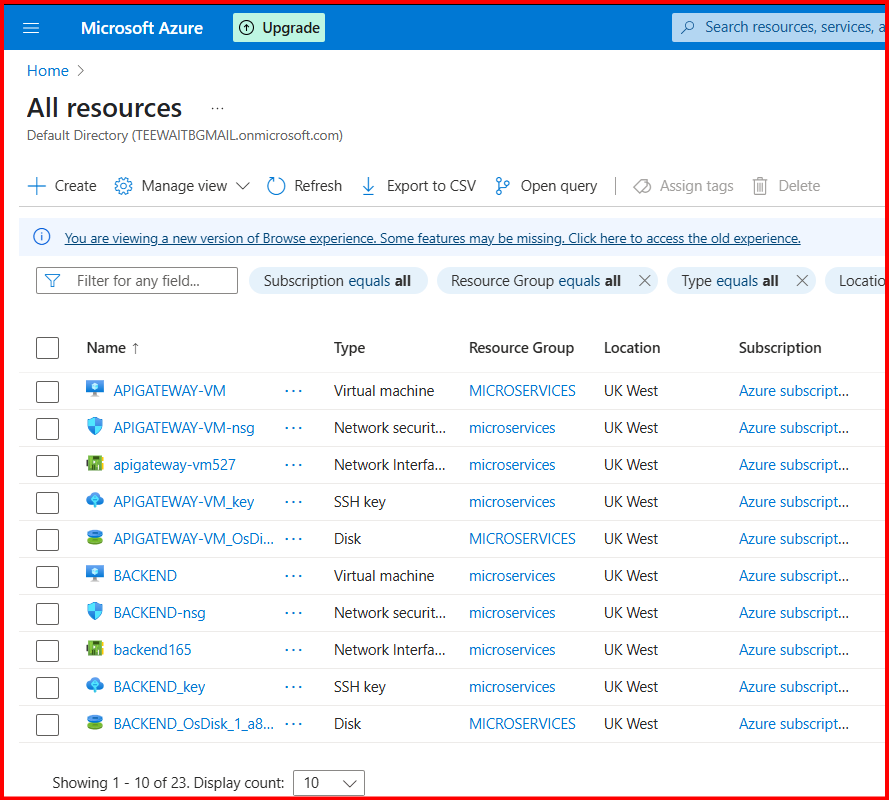
Complete Azure resource group showing all virtual machines, network security groups, SSH keys, and disk storage for the microservices deployment.
Virtual Machine Configuration
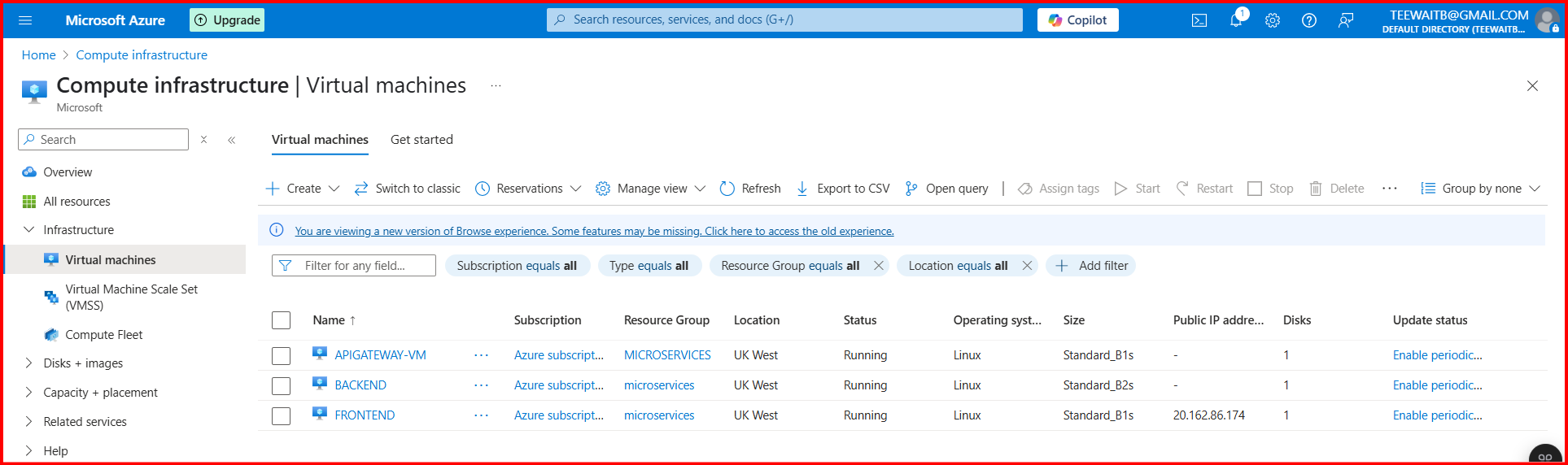
Azure VM management showing the running Linux virtual machines for our microservices deployment.
APIGATEWAY-VM
- • Linux Ubuntu
- • Standard_B1s
- • UK West Region
- • Self-hosted Runner
BACKEND-VM
- • Linux Ubuntu
- • Standard_B1s
- • UK West Region
- • Self-hosted Runner
FRONTEND-VM
- • Linux Ubuntu
- • Standard_B1s
- • UK West Region
- • GitHub Actions Runner
Container Registry (ACR)
All Docker images are stored in the kodmicroservices Azure Container Registry for efficient deployment and version management.
# Container images stored in ACR
kodmicroservices.azurecr.io/frontend:latest
kodmicroservices.azurecr.io/apigateway:latest
kodmicroservices.azurecr.io/backend:latest
GitHub Actions CI/CD Pipeline
CI/CD Pipeline Configuration
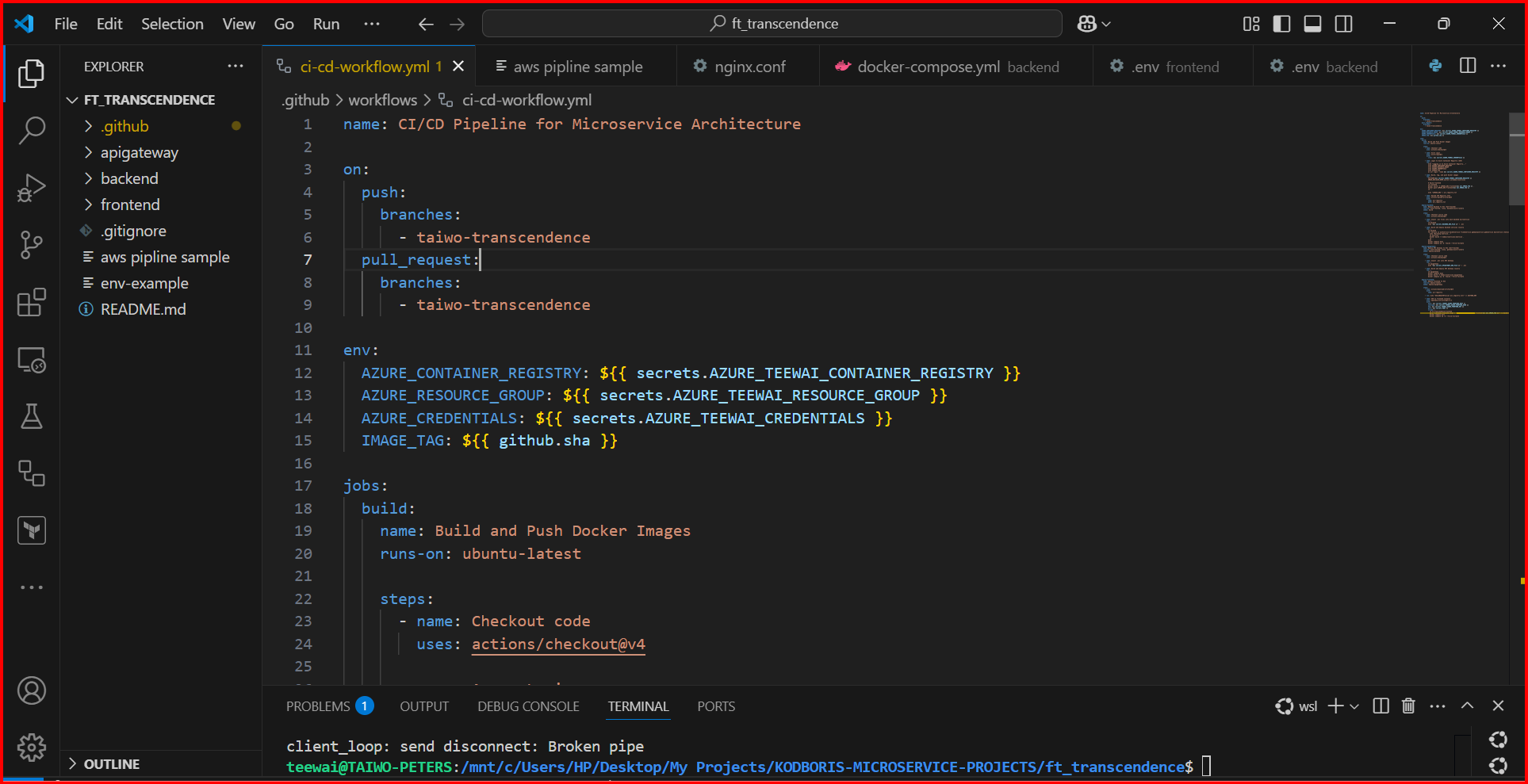
GitHub Actions workflow YAML configuration showing the automated CI/CD pipeline for microservice architecture deployment.
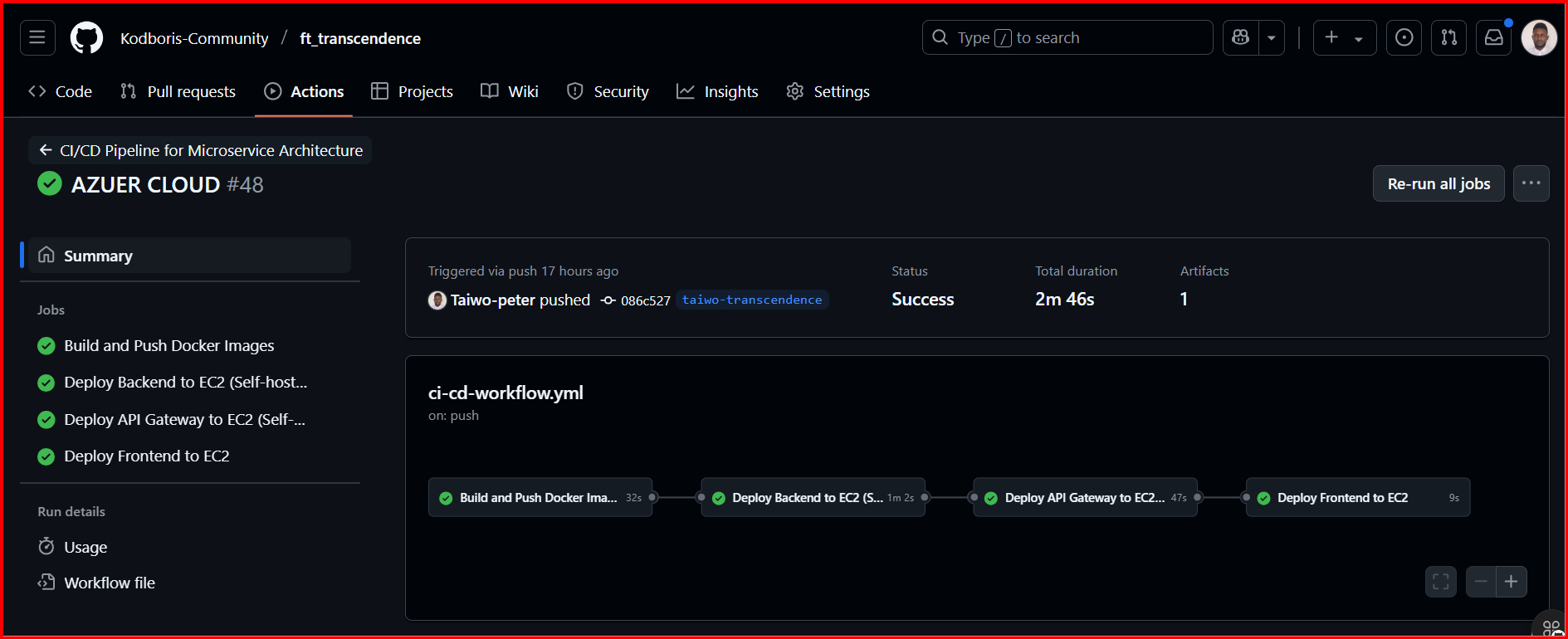
Successful deployment pipeline execution showing all four stages: Build and Push Docker Images, Deploy Backend to EC2, Deploy API Gateway to EC2, and Deploy Frontend to EC2.
Pipeline Stages
Build and Push Docker Images
1h 35m
Deploy Backend to EC2
2m 20s
Deploy API Gateway to EC2
1m 16s
Deploy Frontend to EC2
55s
Self-Hosted Runners
GitHub Runners Configuration
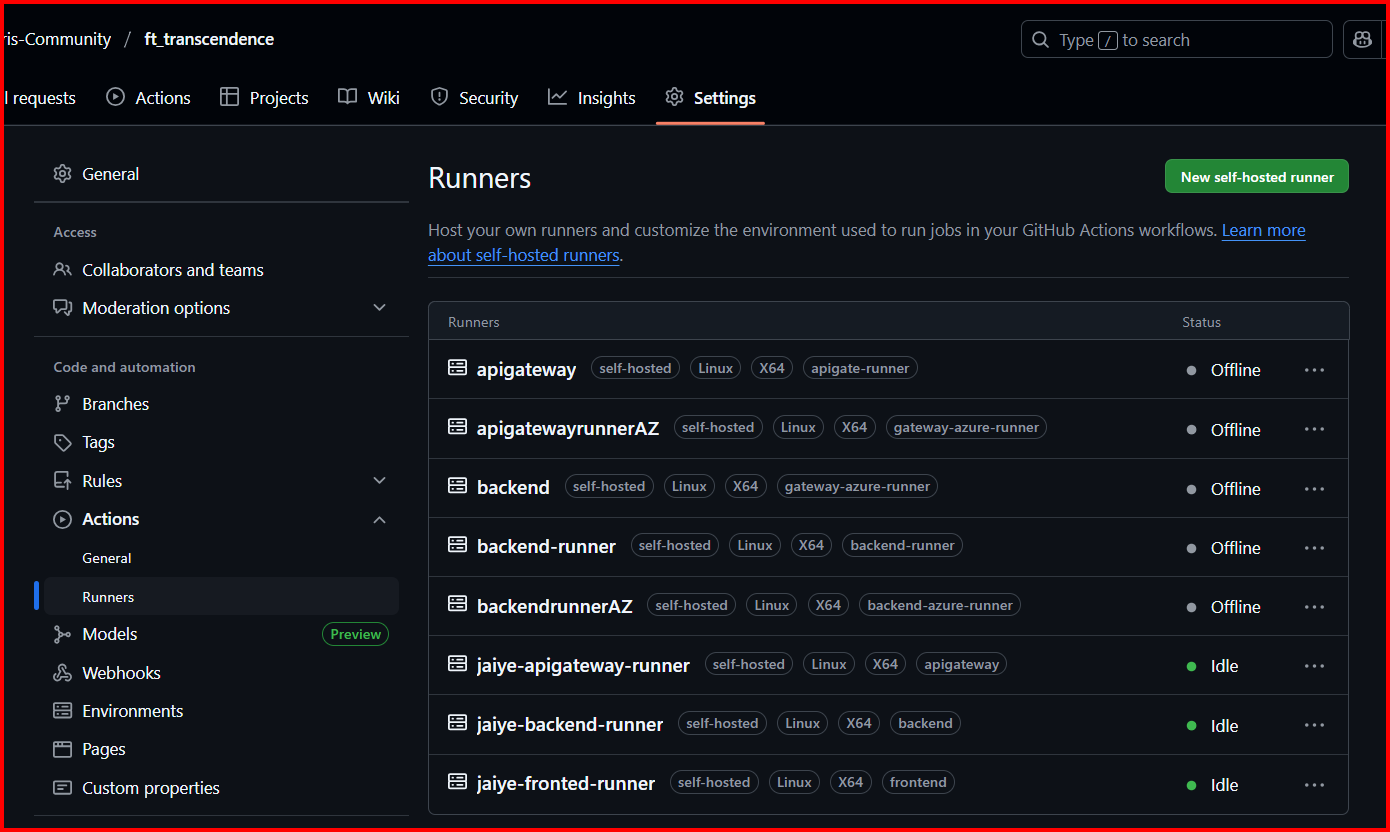
GitHub repository showing configured self-hosted runners for API Gateway and Backend services running on Azure virtual machines.
Self-hosted runners provide secure, dedicated compute resources for building and deploying microservices directly on Azure infrastructure, enabling faster builds and enhanced security control.
API Gateway Runners
- • apigateway: Self-hosted, Linux X64
- • apigatewayrunnersAZ: Self-hosted, Linux X64
- • jaiye-apigateway-runner: Self-hosted, Linux X64 (Idle)
- • Direct deployment to Azure VM
Backend Runners
- • backend: Self-hosted, Linux X64
- • backend-runner: Self-hosted, Linux X64
- • backendrunnerAZ: Self-hosted, Linux X64
- • jaiye-backend-runner: Self-hosted, Linux X64 (Idle)
Secrets Management
GitHub Repository Secrets
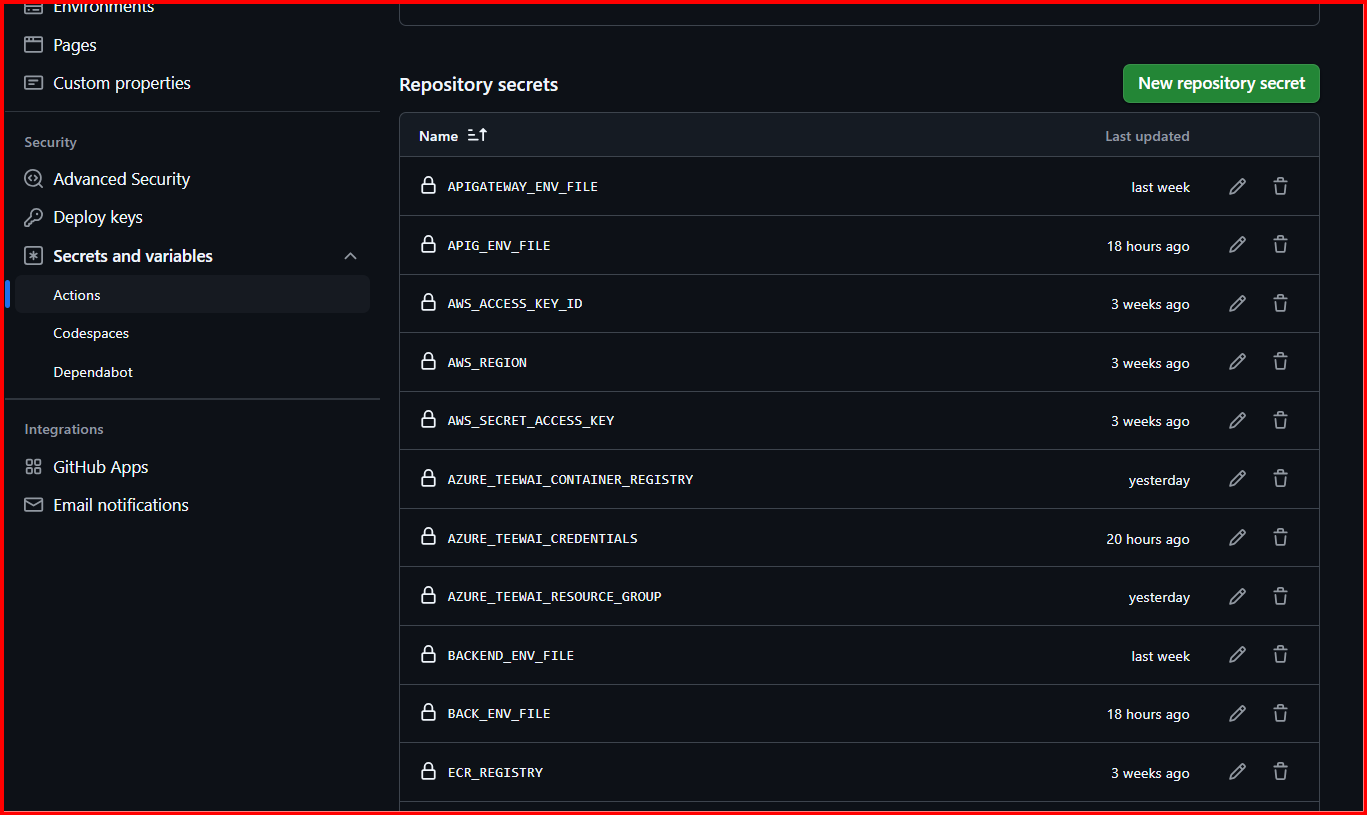
Comprehensive secrets management showing Azure credentials, environment files, and ACR registry access tokens stored securely in GitHub repository secrets.
All sensitive configuration data is stored as encrypted secrets in GitHub, ensuring secure access to Azure resources, container registries, and environment-specific configurations.
Azure Integration Secrets
- • AZURE_TEENAT_CONTAINER_REGISTRY
- • AZURE_TEENAT_CREDENTIALS
- • AZURE_TEENAT_RESOURCE_GROUP
- • AWS_ACCESS_KEY_ID
- • AWS_SECRET_ACCESS_KEY
- • AWS_REGION
Application Secrets
- • APIGATEWAY_ENV_FILE
- • BACKEND_ENV_FILE
- • BACK_ENV_FILE
- • APIG_ENV_FILE
- • ECR_REGISTRY
DNS & Cloudflare Configuration
Domain Management Setup
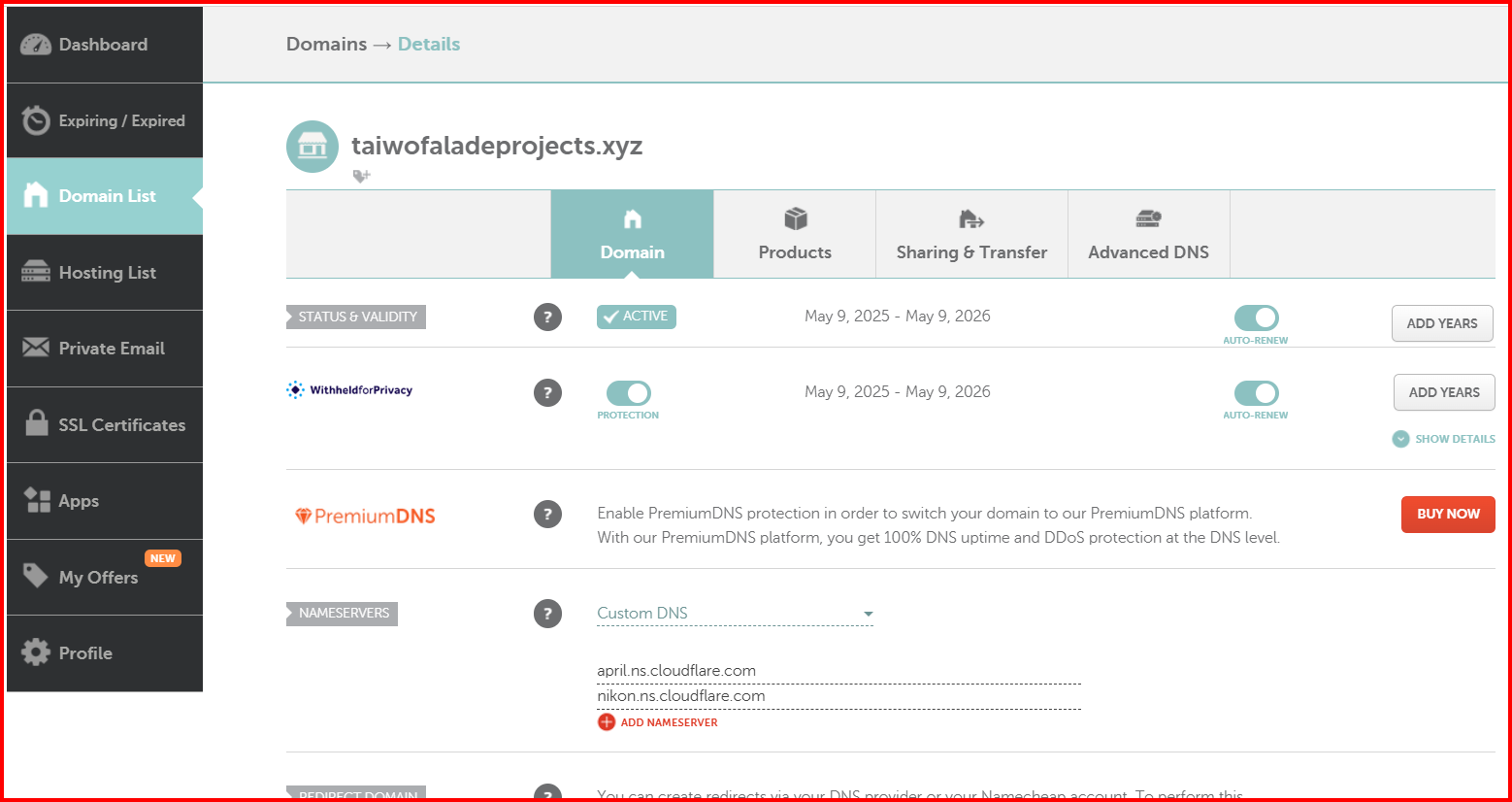
Namecheap domain management for taiwofaladeprojects.xyz showing domain status, DNS configuration, and Cloudflare nameserver integration.
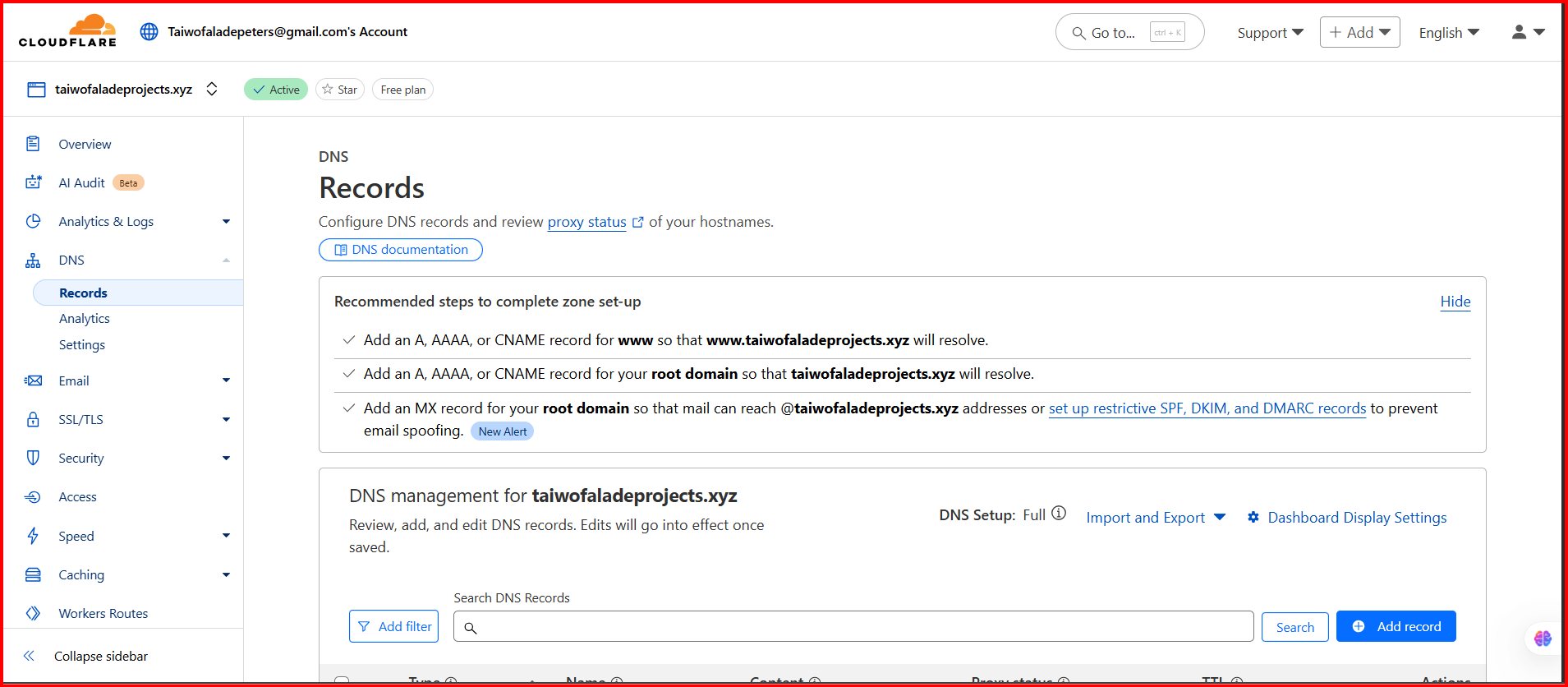
Cloudflare DNS management showing A, AAAA, and CNAME record configuration for routing traffic to Azure infrastructure.
The domain infrastructure uses Namecheap for domain registration and Cloudflare for DNS management, providing global CDN capabilities, DDoS protection, and advanced security features.
Namecheap Configuration
- • Domain: taiwofaladeprojects.xyz
- • Status: Active (Auto-renew enabled)
- • WhoisGuard: Privacy protection enabled
- • Custom DNS: Cloudflare nameservers
- • SSL Certificates: Managed externally
Cloudflare Features
- • Global CDN network
- • DNS management with import/export
- • DDoS protection
- • Web Application Firewall
- • SSL/TLS encryption
Web Application Firewall & Security
Cloudflare WAF Configuration
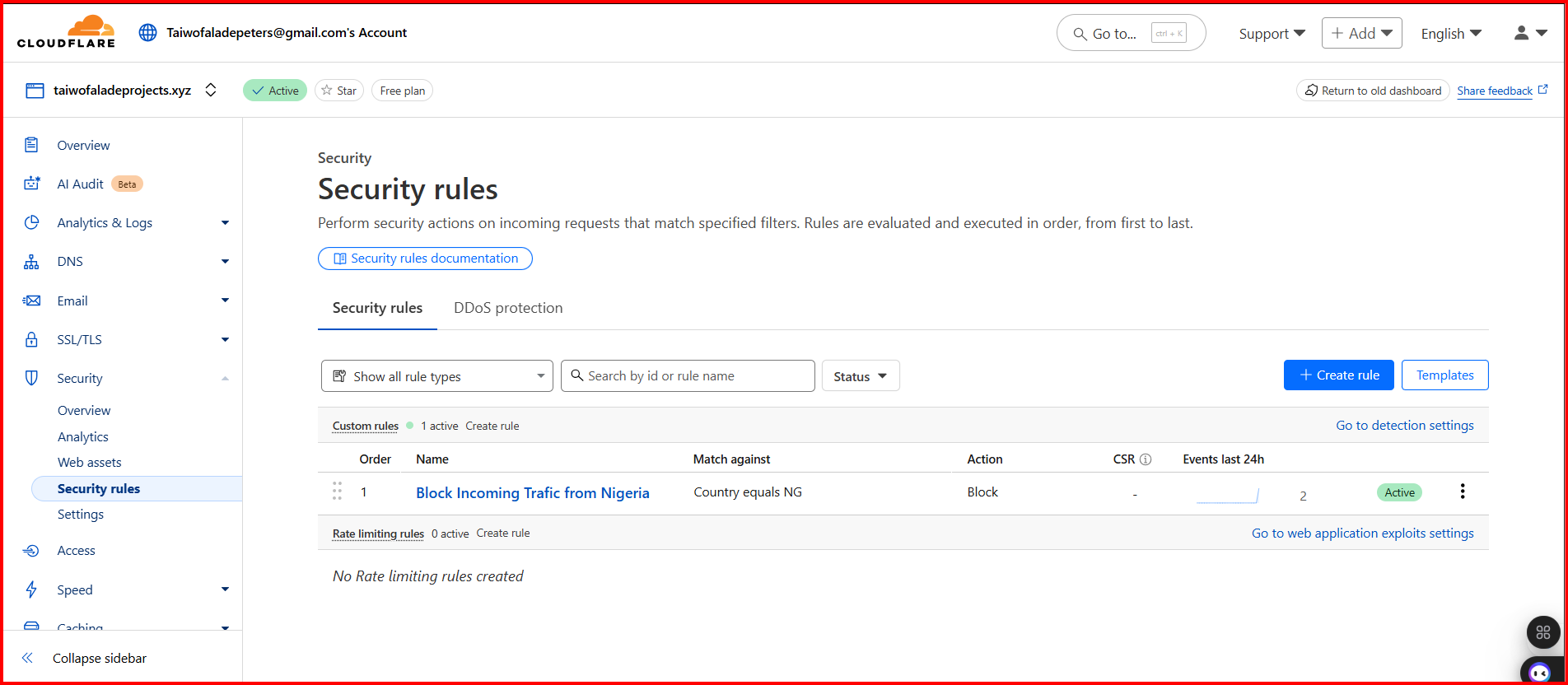
Cloudflare Web Application Firewall showing active security rule blocking incoming traffic from Nigeria for enhanced protection.
The Web Application Firewall provides comprehensive protection against various attacks including DDoS, SQL injection, XSS, and geographic restrictions based on business requirements.
Geographic Blocking
Rule: Country equals NG → Block
Events (24h): 2 blocked requests
Action: Connection terminated before reaching origin server
DDoS Protection
- • Layer 3/4 protection
- • Application layer filtering
- • Rate limiting
- • Bot management
OWASP Protection
- • SQL injection prevention
- • XSS attack blocking
- • CSRF protection
- • Command injection filtering
Custom Rules
- • Geographic restrictions
- • IP whitelisting/blacklisting
- • User agent filtering
- • Request pattern matching
SSL/TLS Configuration with Let's Encrypt
Nginx SSL Implementation
The frontend service uses Nginx as a reverse proxy server with SSL/TLS encryption provided by Let's Encrypt certificates for secure HTTPS communication.
Let's Encrypt Benefits
- • Free SSL/TLS certificates
- • Automated certificate renewal
- • Domain validation
- • Browser trust and compatibility
- • 90-day certificate lifecycle
Nginx Configuration
- • HTTP to HTTPS redirect
- • SSL certificate management
- • Static file serving
- • Proxy pass to backend services
- • Security headers implementation
SSL Virtual Host Configuration
server {
    listen 80;
    server_name yourdomain.com www.yourdomain.com;

    # Redirect HTTP to HTTPS
    return 301 https://$server_name$request_uri;
}

server {
    listen 443 ssl http2;
    server_name yourdomain.com www.yourdomain.com;

    # SSL Configuration
    ssl_certificate /etc/letsencrypt/live/yourdomain.com/fullchain.pem;
    ssl_certificate_key /etc/letsencrypt/live/yourdomain.com/privkey.pem;

    # SSL Security Headers
    ssl_protocols TLSv1.2 TLSv1.3;
    ssl_ciphers ECDHE-RSA-AES256-GCM-SHA512:DHE-RSA-AES256-GCM-SHA512;
    ssl_prefer_server_ciphers off;

    # Security Headers
    add_header X-Frame-Options DENY;
    add_header X-Content-Type-Options nosniff;
    add_header X-XSS-Protection "1; mode=block";
    add_header Strict-Transport-Security "max-age=63072000; includeSubDomains; preload";

    # Frontend Static Files
    location / {
        root /var/www/html;
        index index.html index.htm;
        try_files $uri $uri/ /index.html;
    }

    # API Proxy to API Gateway
    location /api/ {
        proxy_pass http://api-gateway-internal:3000/;
        proxy_set_header Host $host;
        proxy_set_header X-Real-IP $remote_addr;
        proxy_set_header X-Forwarded-For $proxy_add_x_forwarded_for;
        proxy_set_header X-Forwarded-Proto $scheme;
    }
}
Container Management & Port Configuration
Service Port Exposure
Each microservice exposes specific ports for different functionalities while maintaining security through restricted communication paths.
Frontend Service
• Nginx web server
• Static file serving
• SSL termination
API Gateway
• Request routing
• Authentication
• Rate limiting
Backend Service
• Business logic
• Database operations
• Internal API
Communication Flow
Restricted Communication Pattern
Debugging Process & Container Troubleshooting
Container Debugging Methodology
When the application wasn't coming up properly, we implemented a systematic debugging approach by accessing each container individually to identify and resolve issues.
Common Issues Encountered
- • Database connection timeouts
- • Environment variable mismatches
- • Port binding conflicts
- • Container startup dependencies
- • Network connectivity problems
- • SSL certificate issues
Debugging Tools Used
- • Docker exec for container access
- • Container logs analysis
- • Network connectivity testing
- • Process monitoring
- • Configuration validation
- • Health check endpoints
Step-by-Step Debugging Process
Step 1: Container Access and Inspection
# Check running containers
docker ps -a

# Access frontend container
docker exec -it frontend-container /bin/bash

# Check Nginx configuration
nginx -t
cat /etc/nginx/sites-available/default

# Verify SSL certificates
ls -la /etc/letsencrypt/live/yourdomain.com/

# Check Nginx error logs
tail -f /var/log/nginx/error.log
First, we accessed the frontend container to verify Nginx configuration and SSL certificate setup.
Step 2: API Gateway Diagnostics
# Access API Gateway container
docker exec -it apigateway-container /bin/bash

# Check application logs
npm run logs
tail -f /app/logs/application.log

# Test internal connectivity
curl -i http://localhost:3000/health
curl -i http://backend:3001/api/health

# Verify environment variables
env | grep -E "(DATABASE|BACKEND|PORT)"

# Check process status
ps aux | grep node
We diagnosed API Gateway connectivity issues and verified environment configurations.
Database Dependencies & Container Orchestration
PostgreSQL Dependency Management
The backend containers are configured with proper dependency management to ensure PostgreSQL database is fully ready before application startup.
Critical Issue: Backend containers literally wait for PostgreSQL database to start and get connected before launching application services. This solved initial startup failures where services would attempt to connect to unavailable databases.
Connection Strategy
- • Wait for PostgreSQL port 5432
- • Retry connection every 5 seconds
- • Maximum 30 retry attempts
- • Health check verification
- • Graceful failure handling
Database Configuration
- • Host: postgres (Docker network)
- • Port: 5432
- • Connection pooling enabled
- • SSL mode: prefer
- • Timeout: 30 seconds
#!/bin/bash
# Database wait script implemented in backend containers

echo "Waiting for PostgreSQL database..."

until pg_isready -h postgres -p 5432 -U $DB_USER; do
  echo "PostgreSQL is unavailable - sleeping for 5 seconds"
  sleep 5
  ((attempts++))

  if [ $attempts -eq 30 ]; then
    echo "PostgreSQL connection failed after 30 attempts"
    exit 1
  fi
done

echo "PostgreSQL is ready - starting application"
exec "$@"
Transcendence Game Application
Game Video Demonstration
Live gameplay demonstration of the Transcendence Pong game showing real-time multiplayer functionality and interactive gameplay mechanics.
Game Interface & Features
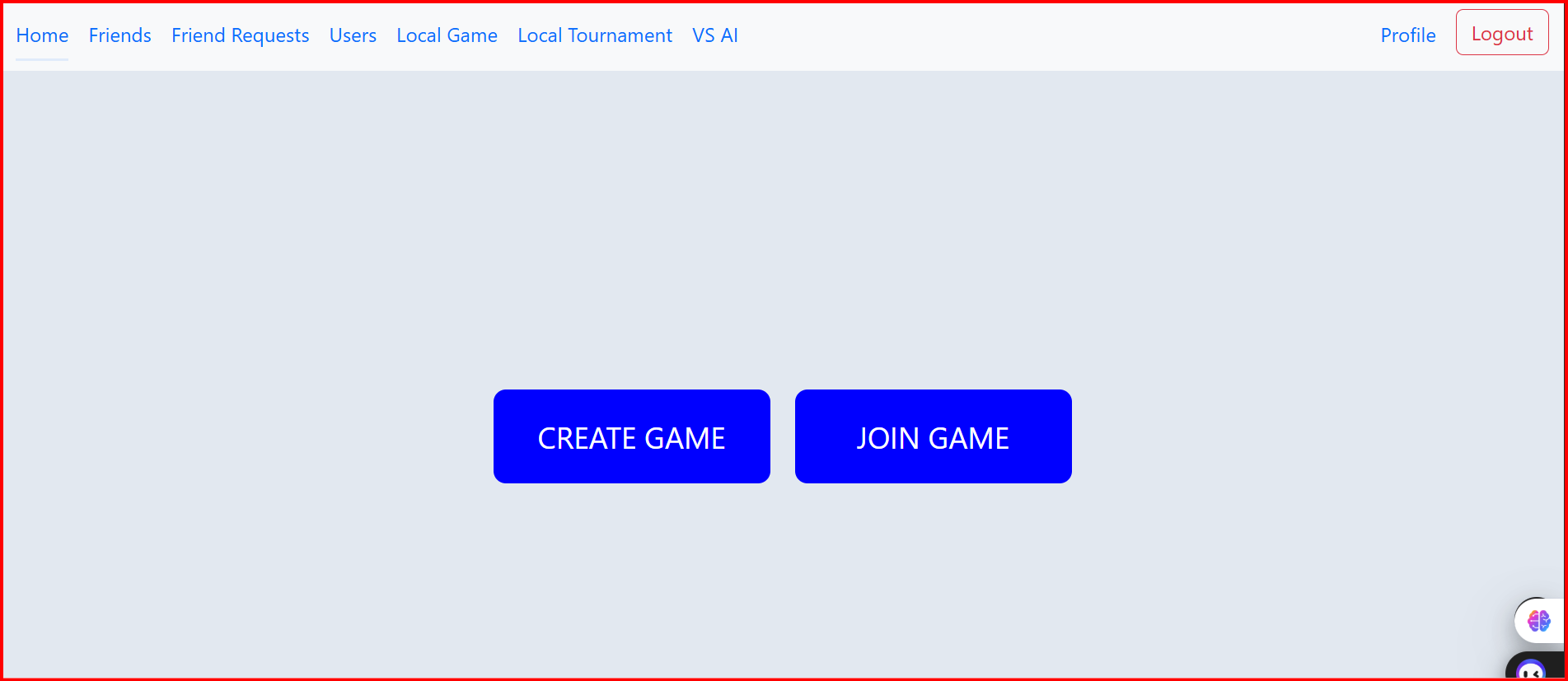
Game startup interface providing options to create new games or join existing tournaments with real-time multiplayer capabilities.
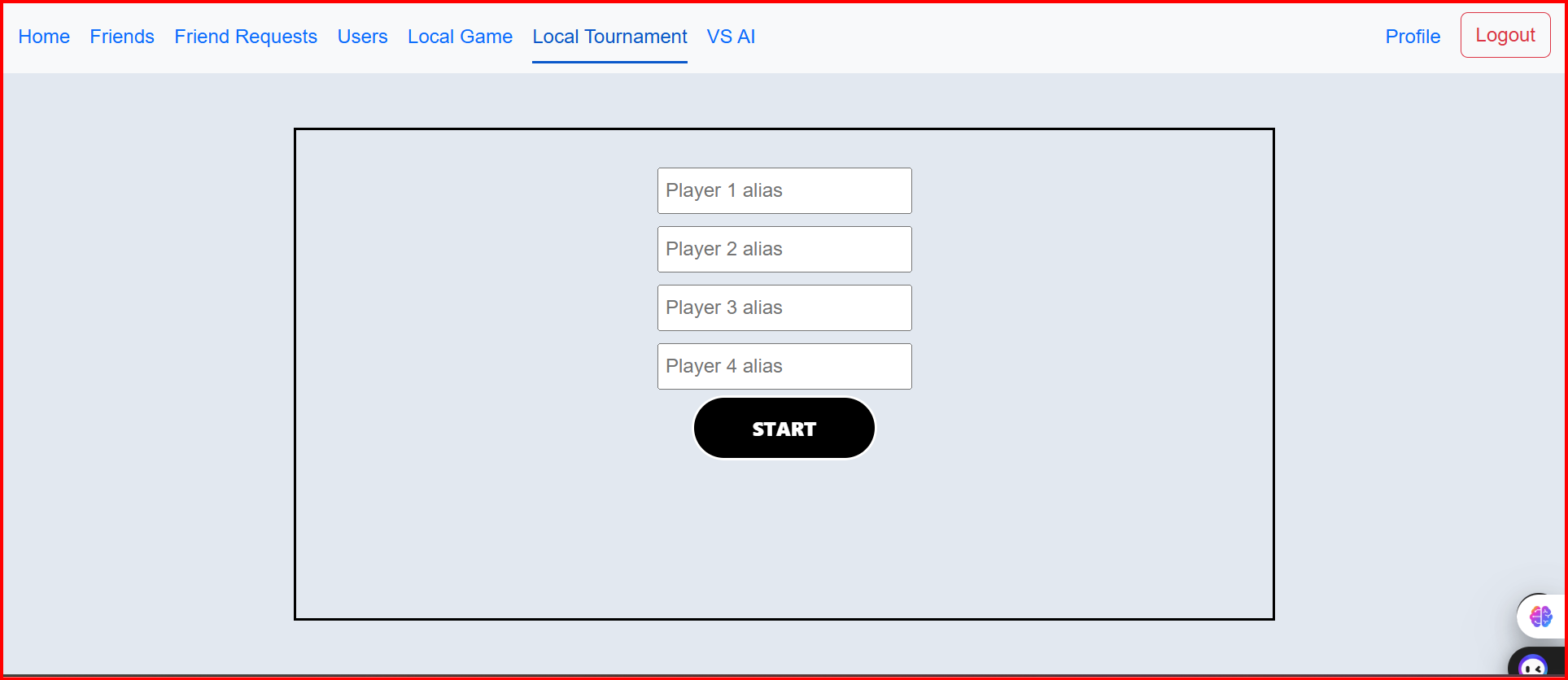
Multiplayer game lobby showing player alias input fields for up to 4 players with start game functionality.
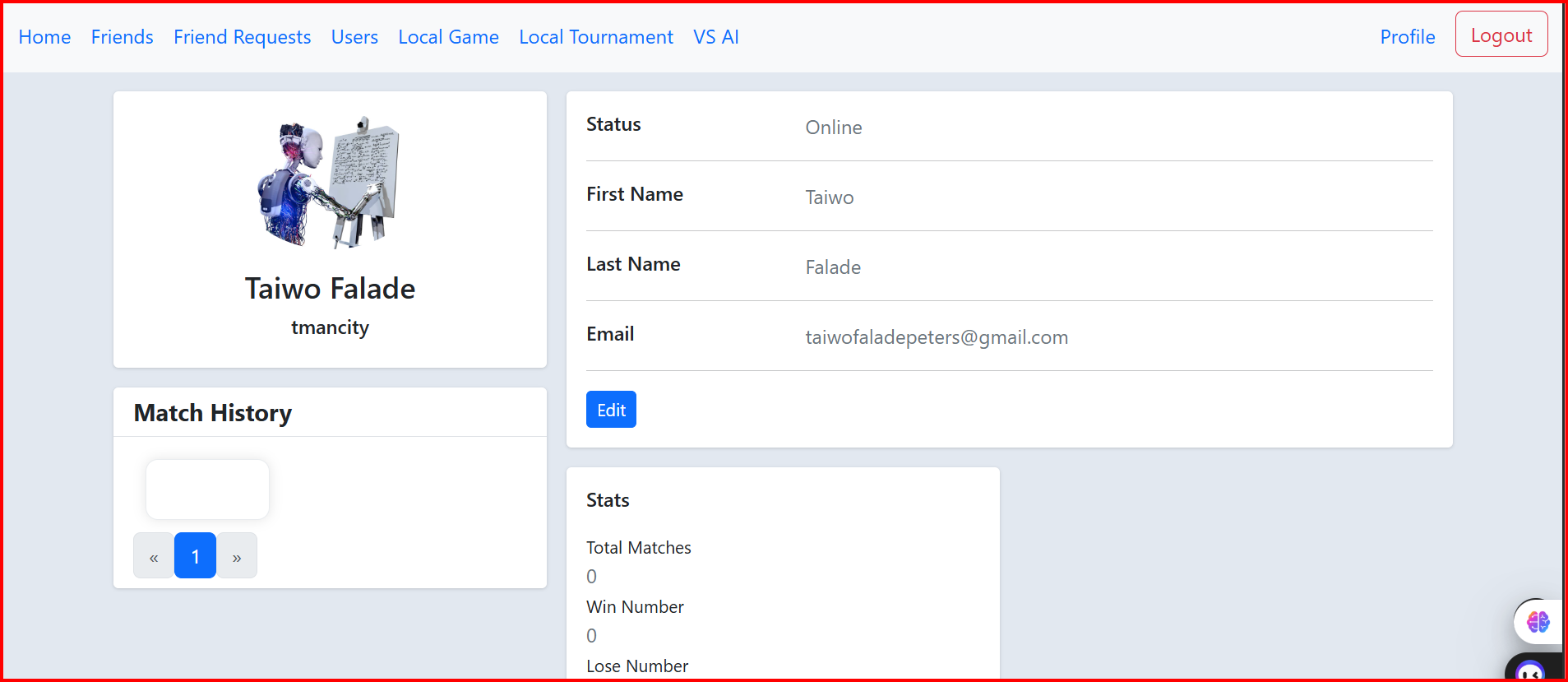
User profile interface displaying player statistics, match history, win/loss records, and account management features.
The Transcendence game is an advanced version of the classic Pong game, featuring real-time multiplayer capabilities, user authentication, tournament systems, and comprehensive player statistics tracking.
Core Features
- • Real-time multiplayer Pong gameplay
- • Tournament creation and management
- • Player ranking and statistics
- • Friend system and social features
- • Match history tracking
- • Local and online game modes
Technical Implementation
- • WebSocket real-time communication
- • Canvas-based game rendering
- • RESTful API for game data
- • PostgreSQL for persistent storage
- • JWT-based authentication
- • Responsive web design
Authentication & Two-Factor Authentication
Secure User Authentication System

Clean and modern login interface for the Transcendence gaming platform with secure authentication flow.
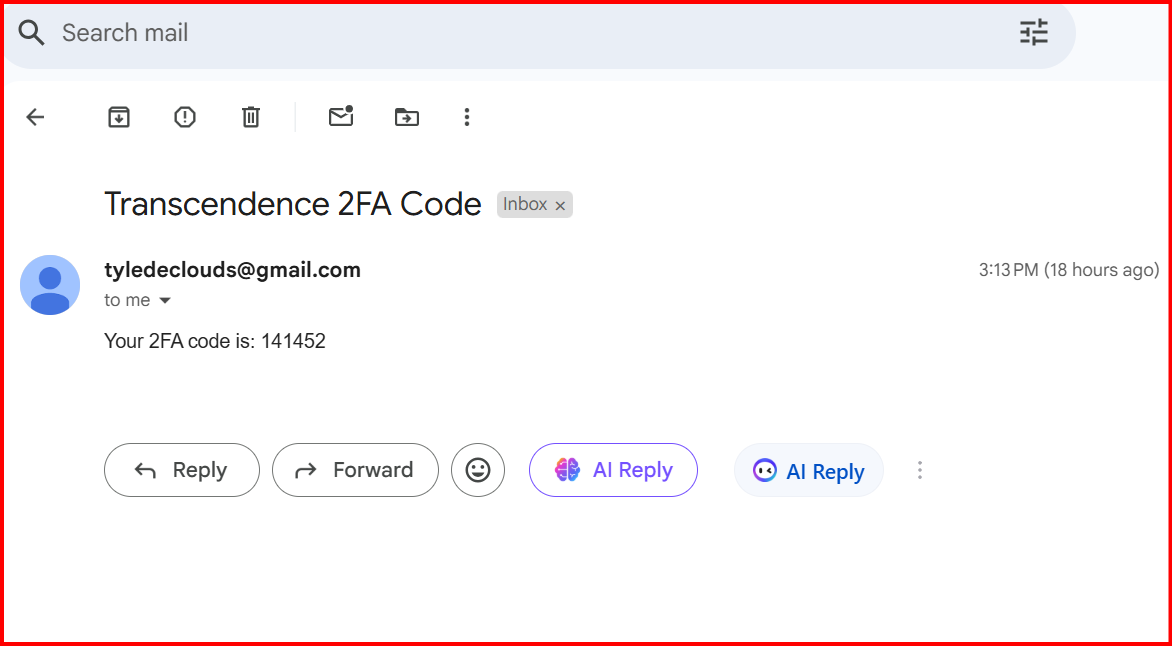
Two-factor authentication interface requiring email verification code for enhanced account security.
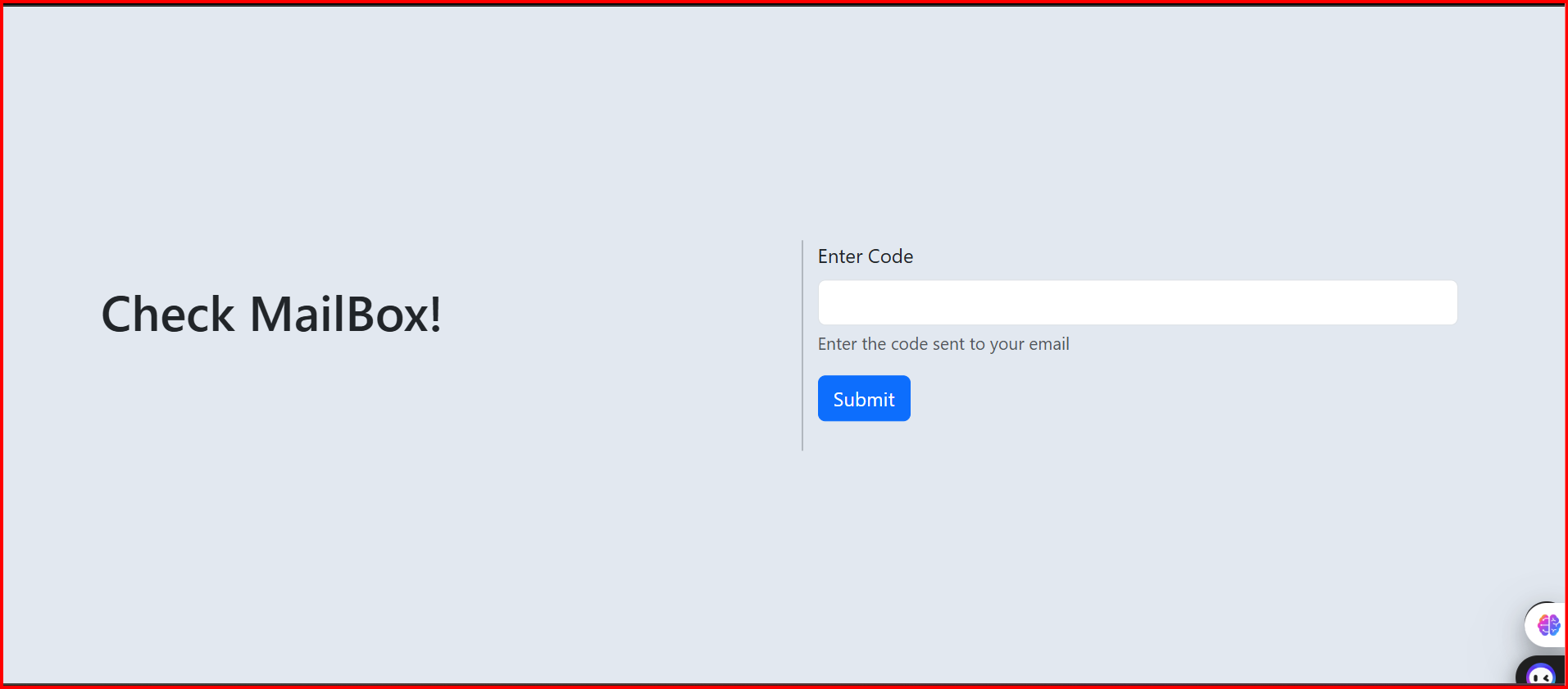
Email verification step prompting users to check their mailbox for the authentication code during login process.
The authentication system implements multi-layer security with email-based two-factor authentication, ensuring robust protection against unauthorized access while maintaining user-friendly experience.
Security Features
- • Email-based 2FA
- • JWT token management
- • Session timeout
- • Password encryption
- • Rate limiting
User Experience
- • Clean interface design
- • Clear verification steps
- • Email notifications
- • Mobile responsive
- • Accessibility support
Integration
- • API Gateway routing
- • Database user management
- • Email service integration
- • Frontend state management
- • Backend validation